
Phoenix - Fast & Safe
Colorful PointCommunication
4.314.55K Reviews
- Version
- Varies With Device
- Installs
- 1.00B
- Age Rating
- Everyone
Screenshots





Our Review of Phoenix - Fast & Safe
 Analysis by Appyee
When I try a new browser, the first few days are usually the easy part: everything feels fresh, and even a small speed improvement is noticeable. The harder question is whether it still earns a place on my phone once the novelty wears off. Phoenix is a communication app from Colorful Point, but in practice it is aimed at everyday web browsing, with downloads and data-saving tools built into the experience. I’d judge it less by a flashy first impression and more by whether those extras solve recurring problems.
The first week: quick wins and familiar habits
Have you ever felt like your phone's web browser is dragging you down with its slow loading speeds and clunky interface? Well, today I’m diving into an app that promises to put all those frustrations to rest. Meet Phoenix - Fast & Safe, a browser app that claims to turbocharge your browsing experience while keeping your data secure. I’ve given it a spin, and here’s what I found.
Its appeal is easiest to understand if your normal browsing involves opening links from chats, checking a few sites, then switching to social feeds or news. Phoenix puts browser basics and its extra tools in one place, so there is less need to bounce between a browser and a separate download utility. I would give it a short trial using the sites I actually visit, rather than judging it by a quick tour of the home screen. Page behavior can vary with the site and connection, and a browser that feels swift on one page may not feel equally so on every page.
Lightning Fast Browsing
The first thing that struck me about Phoenix - Fast & Safe is just how speedy it is. You know that feeling when you click a link and then have to wait forever for it to load? Not here! With Phoenix, pages load almost instantly. It’s like the app is reading my mind and pre-loading the sites I want to visit. Trust me, once you experience this speed, going back to a sluggish browser feels like returning to the Stone Age.
User-Friendly Interface
Let’s talk about the interface. Phoenix has a clean and intuitive design that even a tech newbie can navigate with ease. Gone are the days of fumbling through endless menus and settings. Everything you need is right at your fingertips. The homepage features quick access to your favorite sites, and the search bar is conveniently placed for easy access. Plus, the app’s customization options let you tweak the layout to suit your personal style. It’s like having a browser that feels just right.
That home screen is most useful when it reflects real routine rather than an idealized one. I’d keep only the sites I open repeatedly within quick reach, and use ordinary search for one-off errands; otherwise, a crowded set of shortcuts can become another thing to manage. If you share a phone or often hand it to someone else, consider what you leave visible on the start page. A convenient shortcut can also reveal a habit to anyone looking over your shoulder.
Security Features
In a world where online privacy is becoming more of a concern, Phoenix steps up its game with robust security features. The app includes a built-in ad blocker, which not only speeds up browsing but also protects you from malicious ads that could compromise your data. I also appreciate the incognito mode, which ensures that your browsing history remains private. It’s reassuring to know that Phoenix takes your safety seriously while you surf the web.
I treat incognito as a local privacy convenience, not as a promise of invisibility. It can help keep a browsing session out of the usual history on the device, but it should not be confused with anonymity from websites or network providers. Likewise, an ad blocker may make pages calmer, yet some sites depend on scripts or advertising elements to work properly. If a page looks broken, I’d first try the site in a different browser or adjust how I approach it rather than assuming the phone or connection is at fault.
Data Saver Mode
If you’re someone who’s constantly worried about data limits, Phoenix has got your back. The app’s data saver mode compresses web pages, allowing you to browse more while using less data. This feature is a lifesaver, especially when you’re on a limited data plan or traveling without Wi-Fi. You can browse to your heart's content without worrying about running out of data.
For a more realistic routine, I’d turn to data saving during predictable high-use stretches, such as a commute or a trip away from Wi-Fi, and compare how pages behave with it on. Compression can be a useful trade-off, but it may change how some content is presented or loaded. If a site’s layout matters—for example, when filling out a form or checking a detailed page—I’d prioritize accuracy and readability over squeezing out every bit of data savings.
Additional Features
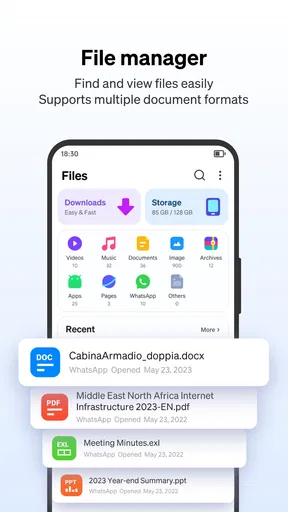
The fun doesn’t stop there. Phoenix comes with a slew of additional features that make it a standout choice. You can download videos from a variety of platforms for offline viewing, which is perfect for long flights or commutes. The app also supports multiple tabs, so multitasking is a breeze. Whether you’re researching for a project or just hopping between social media and news sites, Phoenix handles it all without a hiccup.
The download tool is most compelling when used deliberately: if a platform allows a video to be saved, I’d download it while connected to Wi-Fi, check that it is available offline before leaving, and avoid treating the browser as a replacement for a service’s own viewing rules. Access and playback can depend on the source. For people who regularly save permitted clips or files, keeping downloads organized and clearing items they no longer need is a more sustainable habit than letting the folder grow indefinitely.
Multiple tabs are handy for a small task, such as comparing opening hours, keeping a map-related page alongside a message, or collecting sources for a quick piece of research. They can also quietly pile up. I’d close tabs when finishing an errand instead of treating the browser like a permanent scrapbook; bookmarks or saved links are a better fit for pages I truly want to revisit. This small routine helps Phoenix remain quick to use rather than turning tab switching into the main activity.
Another cool feature is the night mode, which reduces eye strain in low-light conditions. I found this particularly useful when browsing late at night. No more blinding white screens!
Where Phoenix fits among other browsers
Compared with a phone’s default browser, Phoenix makes the most sense if you value its built-in downloading and data-saving approach enough to use those tools regularly. A browser that comes with the phone may be the simpler choice for someone who wants familiar settings and does not need extra media handling. A privacy-focused alternative may suit someone whose main priority is minimizing tracking, while a mainstream browser with account syncing can be more convenient for a person moving constantly between devices. I would not switch just because Phoenix has more features; the right choice depends on whether its particular shortcuts match your habits.
A practical test is to use it for one complete week of ordinary tasks: opening links from messages, searching for local information, reading a longer article, and checking a site that you rely on. Notice whether the pages work as expected, whether you remember to use data saving when it matters, and whether downloading is genuinely easier than your current method. If those benefits show up naturally, Phoenix has a case for staying installed. If you keep returning to another browser out of habit, extra tools alone may not justify the change.
Month-to-month value and upkeep
For someone on a limited mobile connection, a frequent commuter, or a user who often needs permitted media offline, the recurring value is clearer than it is for a person who mainly opens a couple of links each day. The key question is not whether the feature list looks generous, but whether it reduces repeated friction. On the other hand, someone who already has a browser workflow they trust and rarely downloads anything may gain little from adding another app to maintain.
Maintenance here is ordinary but real: keep tabs under control, remove downloads when they are no longer useful, and avoid saving sensitive pages on a device other people can access. Those habits matter more than endlessly adjusting the interface. Phoenix is free, so trying it does not require a purchase, but “free” does not mean it should occupy space without providing value. I’d keep it only if its day-to-day convenience outweighs the mental overhead of managing another browser.
Who should skip it
I would skip Phoenix if you need a browser mainly for tightly integrated syncing across several devices, or if your priority is a particular privacy model that you have already chosen and understand. I’d also think twice if video downloading is the only attraction: source restrictions and offline access can vary, so it is better not to build a travel plan around a clip before checking that it can actually be saved and played. For a user who wants a simple, familiar browser and nothing more, the default option may be easier.
It is also worth remembering that built-in protection tools are not a substitute for careful browsing. An ad blocker can reduce nuisance, but I still avoid unfamiliar downloads and treat unexpected prompts cautiously. Incognito can help with privacy on a shared device, yet it is not a shield against every form of tracking. These distinctions are easy to overlook when several features sit together under a reassuring browser interface.
Final Thoughts
All in all, Phoenix - Fast & Safe is a browser that delivers on its promises. It’s fast, secure, and packed with features that enhance your browsing experience. Whether you’re a heavy internet user or someone who just checks the news and social media, Phoenix is worth trying out. The combination of speed, security, and usability makes it a must-have app on your smartphone.
Its broad reach is reflected in an average rating of 4.3 from around 4.9 million ratings, and it has passed over one billion installs. That scale makes it a familiar option in mobile browsing, though popularity alone cannot decide whether it suits your own habits. It is free and rated for Everyone, which makes it accessible to a wide range of users, but I would still judge it by practical details: whether the pages you need behave well, whether the tools save you effort, and whether the browser feels manageable after the first-week excitement fades.
So, if your current browser feels more like a hurdle than a help, give Phoenix a download. It might just change the way you experience the web.
My lasting verdict is conditional rather than automatic: Phoenix earns a place when data saving, quick access, and occasional offline downloads solve problems you encounter again and again. If those features become part of a simple routine, the app can keep being useful long after the initial curiosity passes. If they remain unused, I’d rather stick with the browser that already fits my day.
Verdict
Strengths of Phoenix - Fast & Safe
- Intuitive user interface enhances ease of use.
- Lightning-fast browsing speeds.
- Ad blocker improves browsing experience.
- Data saver mode reduces data consumption.
- Customizable themes for personalization.
Limitations of Phoenix - Fast & Safe
- Limited add-on support for extensions.
- Occasional crashes in heavy use.
- No built-in VPN for extra security.
- Some features require premium upgrade.
- In-app ads can be intrusive.
Similar Picks in This Category
View All
Google Messages
Google LLC4.6

Gmail
Google LLC4.1

Google Meet
Google LLC4.4

Google Chrome
Google LLC4.1

WhatsApp Messenger
WhatsApp LLC4.6

Carrier Services
Google LLC4.2
Frequently Asked Questions
What is Phoenix - Fast & Safe, and what does it offer?
Phoenix - Fast & Safe is a robust application designed to enhance your mobile browsing experience. It offers high-speed browsing with enhanced security features, ensuring users can surf the web without worrying about privacy threats. Additionally, it supports multiple tabs, ad-blocking, and a user-friendly interface that makes navigation seamless.
Is Phoenix - Fast & Safe free to use, or are there any in-app purchases?
Phoenix - Fast & Safe is free to download and use. However, it offers in-app purchases that can unlock additional premium features such as advanced privacy settings and ad-free browsing. These purchases are optional, and the app remains fully functional without them, catering to both casual and power users.
How secure is Phoenix - Fast & Safe for online transactions?
Phoenix - Fast & Safe prioritizes user security by implementing encrypted browsing and advanced security protocols. This makes it a reliable choice for online transactions. It continuously updates its security measures to protect against new threats, ensuring your personal information remains safe while using the app.
Does Phoenix - Fast & Safe support offline browsing?
Yes, Phoenix - Fast & Safe offers offline browsing capabilities. Users can save web pages for later viewing without an internet connection. This feature is particularly useful for users who need to access information on the go, even when connectivity is limited or unavailable.
Are there any specific device requirements for installing Phoenix - Fast & Safe?
Phoenix - Fast & Safe is compatible with most Android and iOS devices. However, it is recommended to have a device running on at least Android 5.0 or iOS 10.0 for optimal performance. Regular updates ensure that the app remains compatible with newer devices and operating systems.
